If you are an iPhone user and now you want to switching from an iPhone to an Android phone, then you need to transfer all your data to your new device. Google, Samsung, and other Android-based smartphone companies try to make it easy for you to switch.
Android offers two main ways to transfer your data either with a cable or using WiFi. Each option has its advantages, and disadvantage. Go through this article and know how to transfer your data from iPhone to Android using different methods.
How to Transfer Data from an iPhone to an Android Phone?
Transfer Data with a Cable
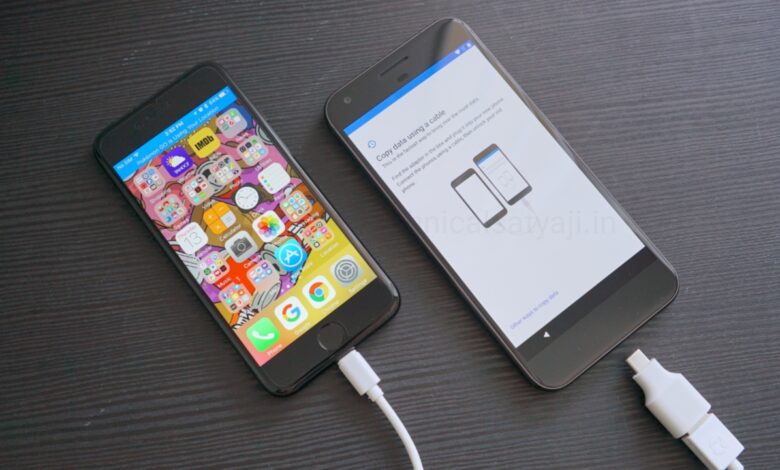
One of the simplest way to transfer datafrim iPhone to Android is with a cable. It involves physically connecting your iPhone to your new Android device with a Lightning to USB-C cable.
Howto Do It?
- Prepare your devices: Fully charge both phones and update your iPhone to the latest version.
- Get your cable: You need either a Lightning to USB-C cable or a Lightning to USB cable and an OTG adapter.
- Turn on your new Android: After you turn on the device, you will be prompted to plug your cable into both phones.
- Follow the on-screen instructions: You will be then asked to select the data you want to transfer.
- Disconnect the cable: Once your data is finished copying over to your new device, you can unplug the cable.
Pros: This is probably the fastest method, and it captures the most data from your iPhone, including messages.
Cons: You might not have a Lightning to USB-C cable or an OTG adapter handy. You also won’t have a secondary backup of your data stored anywhere.
Transfer Data over WiFi
If you don’t have a cable, then you can also connect your devices over WiFi.
- Prepare your devices: Fully charge both phones and update your iPhone to the latest version.
- Turn on your Android phone: Follow the prompts and select No cable when asked.
- Follow the on-screen instructions: Once you have connected the two devices over WiFi using the Switch to Android app, you will be asked to select the data you want to transfer. The kinds of data you can transfer over WiFi are far more limited than using a cable.
Pros: Wireless data transfer is great if you have strong WiFi connection.
Cons: Transferring via WiFi only lets you transfer contacts, photos, videos, and calendar events. Everything else including messages, music, and apps will be left behind. You can transfer this data with a cable.
Humbly Request To All Visitors!
If you found above both downloading link expired or broken then please must inform admin by fill this Contact Us! Form