
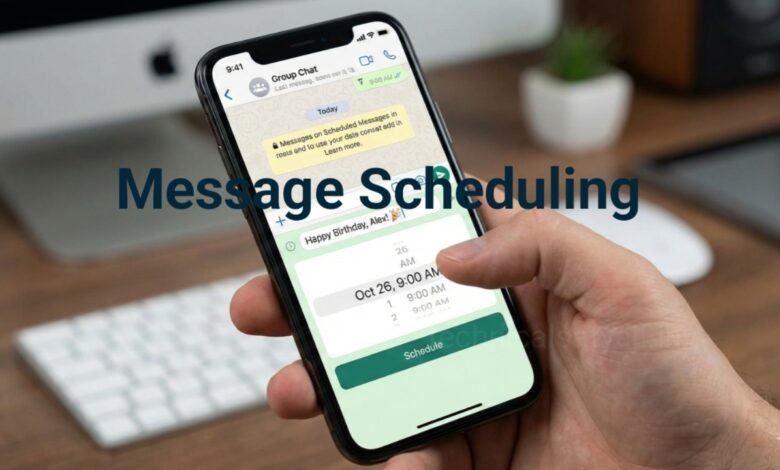
Messaging platform WhatsApp has released a much-awaited feature for its users: Message Scheduling. With this new feature, you can write a message in advance and have it sent automatically at a scheduled time in both individual and group chats.
Message Scheduling Feature on WhatsApp
Now users can schedule any message a minimum of 10 minutes and a maximum of 14 days in advance. The great thing is that not only messages but photos and videos can also be scheduled and sent in advance. Incase your phone is turned off or you don’t have an internet connection after scheduling a message, the message will still arrive at the scheduled time.
Similarly, when you schedule a group chat message, it will only go to the members who are in the group. If any members joining the group later, they will not receive it. Like any other normal message, it will also be subject to End-to-end encryption and the recipient will not be able to detect that it is a scheduled message.
- Open WhatsApp and go to any individual or group chat.
- Select your message, photo or video in the message box.
- Instead of pressing the send button as usual, press and hold the send button for a while.
- Confirm the schedule by choosing a date and time.
- From the Chat info screen, you can view scheduled messages and, if necessary, delete them before they are sent.
Why is this Message Scheduling Useful?
The Message Scheduling feature will come in handy for occasions like wishing someone a happy birthday at midnight, sending important reminders in the morning, or reaching friends and colleagues in different time zones. The feature is gradually rolling out globally for Android and iOS users, so keeping the app updated is recommended to access the latest additions.
Humbly Request To All Visitors!
If you found above both downloading link expired or broken then please must inform admin by fill this Contact Us! Form