What is Digital RC Book? How to Download RC Book of Your Car for Free?
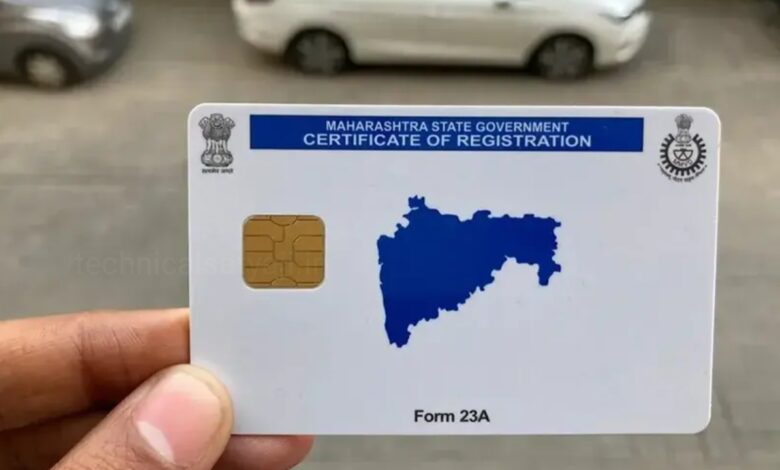
If you ever need your vehicle’s registration certificate (RC), downloading an RC book online is very useful. It saves you time and also saves you from running to the RTO office. Now, with digital platforms like Parivahan and mParivahan, you can view and download your digital RC anytime, anywhere. Go through this article and know the step by step process to download RC book online for free.
What is a Digital RC Book?
Before downloading an RC book online, it is important to understand what a digital RC actually is. A digital RC is a government-certified soft copy of your vehicle’s registration certificate.It is digitally signed, fully legally valid and sovereignly accepted. This RC book comes in handy in places like traffic checking, insurance claims and vehicle checking.
How to Download RC Book Online?
- To download RC book online first you have to visit the government’s official transport website parivahan.gov.in.
- Go to Online Services and then select Vehicle Services.
- Select your state from the dropdown Menu.
- Enter your vehicle registration number and captcha code.
- Then, Click on “Proceed” to view your vehicle details.
- Next, Click on “Download RC” in the download section.
- Complete the mobile OTP verification. Your digital RC (PDF) will be generated and ready for download.
- This is the most reliable method for anyone looking for a way to download RC books online across India.
Other Way to Download RC Book Online
Use mParivahan App
If you prefer mobile access, apps like mParivahan offer a quick way to securely view and store your digital RC book. This is especially useful when you need a visa entry while traveling. Through this app you can search your vehicle details, create a digital RC/DL, check, or pay e-challans. You can download this app from Google Play Store(Android) or App Store (iOS).
- Go to your Google Play Store or App Store
- Search “mParivahan,” App developed by NIC eGov Mobile Apps. Download the app and install it to your device.
- Launch the app, select your language, and enter your mobile number.
- OTP will sent to your number, enter the OTP and create your profile with your name.
Key Features
- You can create Virtual RC/DL- On the dashboard, enter your vehicle number (for RC) or license number (for DL). Click ‘Add to Dashboard’ to create a digital, legally valid copy.
- You can able to check your vehicle details – Use the search bar to enter any vehicle number to find its owner, registration date, insurance validity, and PUCC status.
- You can check your challan status – Enter your vehicle or license number to view pending traffic fines.
- Access Services – Utilize the menu to apply for license-related services, update information, or track application status.
Note: For full functionality, ensure your mobile number is linked with your RTO records.
Humbly Request To All Visitors!
If you found above both downloading link expired or broken then please must inform admin by fill this Contact Us! Form