


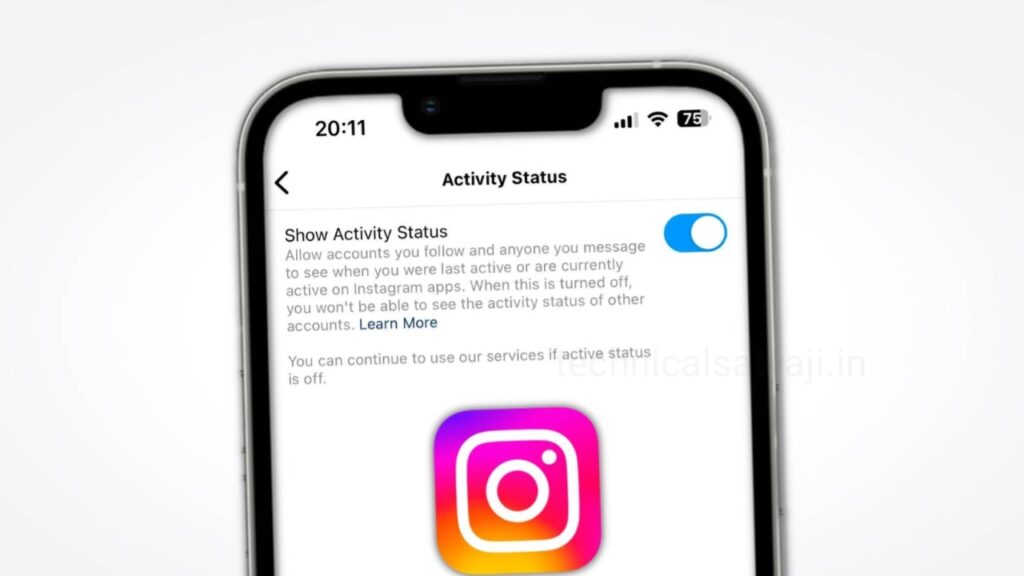
If you are an Instagram user and don’t want anyone to know when you are online, you can hide your active status. If you value your privacy and prefer to keep your online activity hidden from others, then go through this article. In this article you are going to know how you can hide your active status on Instagram from others.
Active status on Instagram is a feature that allows you to see when your friends or contacts are online or when they were last active on Instagram. When the activity status is on, you will see a small green dot next to the user’s profile picture or a note like ‘Active now’ under their name indicating that they are online.
Sometimes, people may not want to be bothered by messages or notifications from certain people on Instagram. They can avoid unwanted messages and notification by turning off their online status on Instagram.
How to Hide your Online Status on Instagram?
Instagram is one of the mostly used social media platform through out the world. Easily you turn off active status on Android or iPhone by following the below steps:
- Open Instagram and tap on your Profile icon present at right bottom corner .
- Tap on the three dot lines at the top right corner of the screen and “Settings and privacy”page will open.
- Scroll down, select “Messages and story replies” below from “How others can interact with you” section.
- Then select “Show activity status” in “Who can see you online” section.
- Toggle off the switch next to the “Show Activity Status”.
How to Hide your Online Status on Instagram through Web Browser?
If you use Instagram on the web browser and want to hide the online status, then go through the steps below:
- Go to Instagram on your preferred web browser and click on the “More” icon.
- Select “Settings” and click on “Messages and story replies” option from the left menu.
- Now, remove the check next to the “Show activity status” on the next screen.
Note: When you turn off your activity status on Instagram, other users will not be able to see when you were last active or if you are currently active on the platform. Since this is a two-way feature, you won’t be able to see other users’ activity statuses. However, you can still send and receive direct messages. Turning off your activity status won’t prevent you from sending or receiving direct messages, and you will still be able to see when someone has read your message.
Humbly Request To All Visitors!
If you found above both downloading link expired or broken then please must inform admin by fill this Contact Us! Form